The Smart Lock Question: Yale, August, Schlage — What's Actually Secure
Smart locks vary wildly in security. Here's which ones actually harden your front door and which ones are mostly for show.
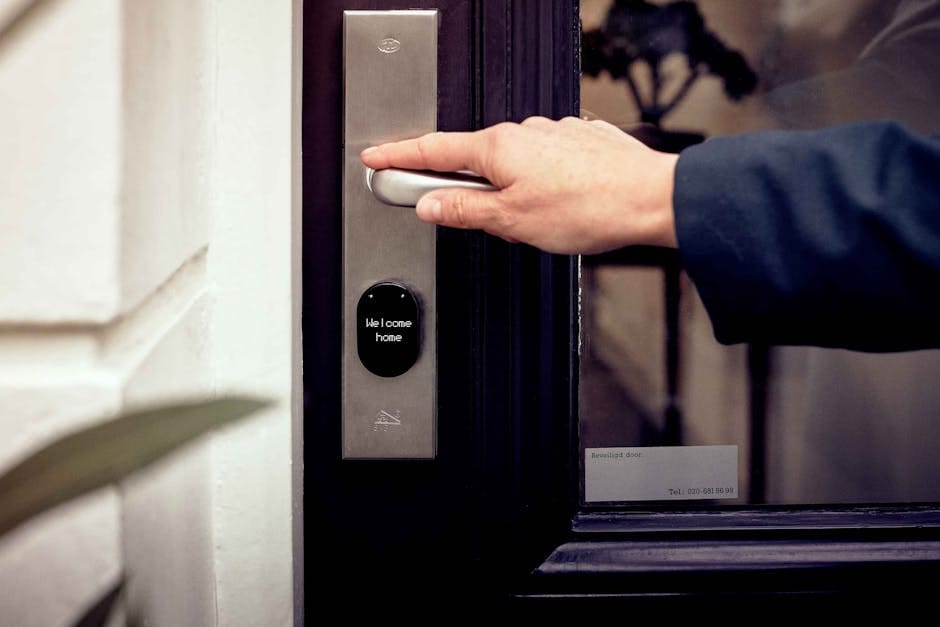
Every smart lock manufacturer claims "bank-grade security" and "military-grade encryption." The marketing doesn't distinguish between products. The reality varies enormously — from locks that are genuinely more secure than the standard deadbolt they replace, to locks that are easy to bypass with methods available on YouTube.
The security differences matter. A lock is not just a convenience; it's the primary physical barrier between your home and the outside world. Most smart lock reviews focus on features like app connectivity, battery life, and voice assistant integration. Those things matter too. But security is the first question to answer. Let me walk through what actually differs.
Physical security basics
Every deadbolt (smart or dumb) is rated by ANSI/BHMA standards:
- Grade 1: Commercial/residential highest level. Withstands 6 strikes of 75 lb-ft force.
- Grade 2: Standard residential. Withstands 4 strikes of 40 lb-ft force.
- Grade 3: Minimum residential. Rarely used for front doors.
A Grade 3 smart lock is inherently less secure than a Grade 1 dumb deadbolt. The Grade matters more than the smart features.
Yale's flagship smart locks (Assure Lock 2) are Grade 2. Schlage Encode and Encode Plus are Grade 2. August Smart Lock Pro is not a replacement lock — it installs over your existing deadbolt — so it inherits that lock's Grade.
For homes where the front door is the primary entry concern, Grade 2 is fine but not top-tier. Commercial Grade 1 smart locks exist but cost $400+ and require a real bolt mechanism installation.
The full-replacement vs retrofit debate
Full-replacement smart locks (Yale Assure Lock 2, Schlage Encode)
These replace your existing deadbolt entirely. The new lock mechanism is designed as a complete unit — the electronics, the bolt, and the strike plate all work together.
Pros: Physical security is integrated with the smart features. Fingerprint, PIN, or app unlock actually moves the bolt. Clean, integrated design.
Cons: Requires drilling/reshaping door frame in some cases. If your door has non-standard hole spacing, incompatible. Renters usually can't install.
Retrofit smart locks (August Smart Lock, Level Bolt)
These mount on top of your existing deadbolt. A motor turns the existing deadbolt when commanded by app or PIN.
Pros: Keeps the existing lock's security rating. Renters can install without physical modification. Reversible for move-out.
Cons: Physical security is only as good as the original deadbolt. Visible installation inside the door (the August is a bulky disk). Relies on the existing lock's mechanism.
For homeowners: full-replacement is cleaner and more secure.
For renters: retrofit is the only option, and is fine security-wise if your existing lock is a good Grade 2 deadbolt.
Smart lock security analysis
Yale Assure Lock 2 — $229
Best-in-class smart lock for homeowners. Grade 2 rating. HomeKit, Matter, Z-Wave compatibility. Optional keyed entry (recommended — always keep a physical key backup). Fingerprint, PIN, or app unlock.
Security strengths: the physical lock mechanism is a real mid-tier Yale deadbolt, not a smart-first compromise. Secure bolt engagement. Good strike plate.
Security weaknesses: the touchscreen PIN entry is sometimes vulnerable to smudge attacks (an attacker can see which numbers have oils from use). Set PINs with non-sequential numbers and wipe the touchscreen regularly.
One specific concern: a Bluetooth exploit in 2022 affected some older Yale locks. Newer firmware fixed this. Keep firmware updated (automatically via app).
Schlage Encode Plus — $299
Similar to Yale Assure Lock 2 in form factor. Built-in Wi-Fi (no hub required). HomeKit compatible via Matter.
Security strengths: Schlage's physical deadbolt construction is similar quality to Yale's. Tamper alarms when the lock is forced. Auto-lock after set time.
Security weaknesses: Wi-Fi-based smart locks use more battery than Thread/Zigbee alternatives. Monthly battery replacement in heavy-use households. Some reports of the Wi-Fi radio causing instability during firmware updates.
August Smart Lock Pro (4th gen) — $229
Retrofit lock. Installs over existing deadbolt. HomeKit compatible.
Security strengths: preserves whatever security your existing deadbolt provides. The motor mechanism is reliable and quiet.
Security weaknesses: no physical key backup that isn't already part of your existing lock. If the original deadbolt is Grade 3 or unrated (common in older homes), the overall security is poor regardless of the smart features.
August's real advantage: it's invisible from outside. Your door still looks normal with a regular deadbolt. Burglars don't know you have a smart lock.
Aqara U100 — $179
The budget pick with surprisingly good security. Fingerprint, PIN, key, or app unlock. Matter and HomeKit compatible. Grade 2 deadbolt.
Security strengths: full-replacement lock with quality mechanism. Matter standard means future-proof compatibility.
Security weaknesses: relatively new brand, less established track record than Yale or Schlage. Some installation quirks specific to American door sizes.
For budget-conscious buyers who want full-replacement smart locks without the premium price, Aqara is viable.
Level Bolt — $329
Invisible smart lock. All electronics hidden inside the deadbolt mechanism. The exterior of your door looks exactly like a dumb deadbolt.
Security strengths: no external touchscreen to attract attention. No visible "smart" hardware. Attacker doesn't know what technology is in use.
Security weaknesses: proprietary battery replacement (CR2 format, less common). Requires app for remote unlock (no PIN or fingerprint on the lock itself).
For specific security-conscious users who want smart lock convenience without advertising the technology, Level Bolt is a niche pick.
What to avoid
Avoid smart locks from unknown brands on Amazon. Physical lock quality varies dramatically and the encryption implementation is often flawed. A $60 smart lock is likely easier to break than a standard $40 deadbolt.
Avoid smart locks that only work with a single ecosystem (e.g., "HomeKit-only" that doesn't support anything else). If the ecosystem changes its rules, your lock becomes a brick. Multi-platform or Matter-compatible locks are safer long-term.
Avoid smart locks that require mandatory cloud subscriptions for basic functionality. Some brands are moving to subscription models. You paid for the lock; it should work without monthly fees.
Avoid "bluetooth-only" smart locks with no other connectivity. Bluetooth has a limited range, and you lose remote control when you're away from home.
Settings for actual security
Auto-lock enable
Every smart lock should auto-lock 30-60 seconds after being opened. Don't trust anyone to manually lock — people forget.
Unique PIN per user
Don't share the same PIN among family members. Use unique PINs for each person, the cleaner, the dog walker. You can delete a specific PIN if someone's phone is stolen or a cleaner stops working for you.
Disable auto-unlock via geofence
Smart locks with geofence auto-unlock (your phone approaches, door unlocks) are a convenience at the expense of security. Someone with your phone could drive to your house and trigger the unlock. Disable this feature.
Enable tamper alerts
Get notifications when the lock is forced, when multiple incorrect PINs are entered, when the keypad has repeated attempts. These are early warning signs that require attention.
Share the Wi-Fi with your lock wisely
Put smart locks on a separate IoT network VLAN if your router supports it. This prevents a hypothetical lock firmware exploit from becoming a gateway to your main network.
The installation quality matters
A smart lock installed poorly is less secure than a dumb lock installed well. The bolt needs to engage the strike plate deeply. The door frame needs to be sturdy. The screws in the strike plate need to be 3-inch screws that penetrate through the door frame into the studs behind.
Many home invasions succeed because the bolt only engages a standard 1/2-inch strike plate held by 3/4-inch screws. A few dollars of longer screws and a proper reinforced strike plate ($25) makes any deadbolt significantly more kick-resistant.
Invest in installation quality when you install any new lock. The smart features don't matter if the bolt tears out the frame under force.
The recommendation
For most homeowners: Yale Assure Lock 2 at $229. Best balance of security, convenience, and ecosystem support. Replace with longer strike plate screws. Keep firmware updated.
For renters: August Smart Lock Pro at $229. Preserves existing deadbolt (verify it's Grade 2). Reversible install. Works with HomeKit.
For security-first users: Level Bolt at $329. Invisible from outside. No external interface to attract attention.
For budget buyers: Aqara U100 at $179. Less proven but good Matter compatibility and reasonable security.
A smart lock is a meaningful upgrade to most homes — convenience aside, the ability to have auto-lock, unique PINs, and immediate awareness of door events adds real security. But pick carefully. The category's variance in quality is larger than the marketing suggests.
One more thought
The most secure house isn't the one with the fanciest smart lock. It's the one with good doors, good frames, good deadbolts properly installed, and visible cameras. A door with a $300 smart lock but a flimsy frame is less secure than a door with a $80 Grade 2 deadbolt in a reinforced frame.
Think of the smart lock as a feature add-on to a fundamentally secure door. Don't use it to compensate for poor door security. Fix the basics first, then add the smart layer.