Network-Attached Storage for Home Users: Synology, QNAP, or DIY
Home NAS makes sense for specific users. Here's which NAS is right and which is overkill for your actual needs.
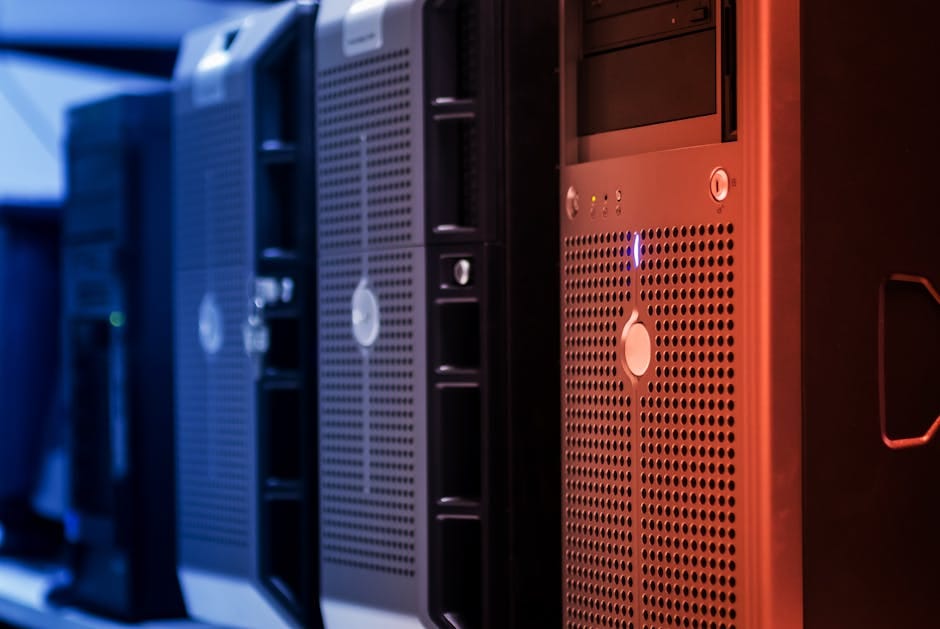
A network-attached storage device (NAS) is a small always-on computer that stores files accessible to everyone in your household. Photo backups, media libraries, Time Machine, document archives. It sits on your network, plays nicely with phones, computers, and smart TVs.
The NAS category has matured. A Synology DS224+ at $349 (plus hard drives) handles most home storage needs reliably for 10 years. QNAP offers similar capability. DIY TrueNAS setups are powerful for enthusiasts. Here's how to decide which makes sense for your use case.
Synology DS224+ — $349 (plus drives)
The default NAS for home users. 2-bay (holds 2 hard drives). DSM operating system is the most polished in the industry. Apps for everything: photo backup (Photos), Time Machine (Cloud Station), Plex media server, personal cloud sync.
Performance: enough for most home use. Handles 1080p/4K streaming, photo library browsing, file sync without breaking a sweat.
Reliability: Synology has been making NAS for 20 years. Product quality is consistent. Firmware updates are regular.
Learning curve: gentle. The web interface looks and works like a regular OS. Setup takes 30-60 minutes for most users.
Synology DS923+ — $599 (plus drives)
Step up to 4-bay NAS for users who need more storage or want redundancy beyond 2-drive setups. Supports expansion units for 5+ drives. More RAM, better CPU.
For users who are specifically outgrowing a 2-bay setup or want to store 40+ TB of content, this is the upgrade path.
QNAP TS-233 — $269
QNAP's alternative at similar price point. 2-bay, ARM processor. Cheaper than Synology.
QNAP's operating system (QTS) is less polished than Synology's DSM. It works, but the interface is busier and the app ecosystem is smaller.
For budget-conscious users, QNAP delivers. For first-time NAS users, Synology is easier to live with.
DIY TrueNAS — Costs vary
Build your own NAS using TrueNAS (free OS) on PC hardware. Typical build:
- Small form factor PC or mini-ITX build: $300-500
- Hard drives: $200-600 depending on capacity
- Total: $500-1,100
Advantages: dramatically more capable for advanced use cases (virtualization, Docker containers, more storage flexibility).
Disadvantages: significant learning curve. Initial setup takes a full day. Ongoing maintenance requires some knowledge of Linux and storage concepts.
Only recommend to users who specifically want to learn or who have outgrown Synology/QNAP capabilities.
Hard drives for NAS
Standard desktop hard drives aren't rated for 24/7 operation in a NAS.
NAS-rated drives (Seagate IronWolf, Western Digital Red, Toshiba N300): rated for continuous operation. Handle the vibrations of multi-drive setups. 3-5 year warranty typical.
Target capacity: 8TB per drive is the sweet spot of cost per terabyte.
A 2-bay Synology with two 8TB drives in RAID 1 (mirrored for redundancy) gives you 8TB usable storage with protection against single-drive failure.
Cost: about $300-400 for two 8TB NAS drives. Plus $349 for the Synology. Total: $650-750 for 8TB protected storage.
RAID configurations
RAID 1 (mirror) — 2 drives
Two drives hold identical data. Any one drive can fail without data loss. Usable capacity: 50% of total drives.
For 2-bay NAS: the standard choice.
RAID 5 (striped with parity) — 3+ drives
Data is distributed across drives with parity data. Any one drive can fail without data loss. Usable capacity: (N-1) drives where N is total drive count.
For 4-bay NAS with 4 drives: 75% usable capacity. Four 8TB drives give you 24TB usable.
RAID 6 (double parity) — 4+ drives
Two drives can fail without data loss. Lower usable capacity but more protection.
For critical data or larger arrays.
SHR (Synology Hybrid RAID) — Synology-specific
Synology's flexible RAID. Lets you use drives of different sizes. More forgiving for home users who add drives over time.
Recommended for Synology NAS users. Easier to manage than standard RAID.
The backup rule
NAS is not a backup. RAID protects against drive failure. It doesn't protect against:
- Fire or theft of the NAS itself.
- Accidental deletion of files.
- Ransomware attack.
- User error.
For critical data, follow the 3-2-1 backup rule:
- 3 copies of the data
- 2 on different media types
- 1 off-site
Practical implementation: NAS is one copy. Cloud backup (Backblaze B2, Arq, iCloud) is another. The original drive (laptop, phone) is the third.
Common home NAS use cases
Photo and video backup
Synology Photos or QNAP QuMagie backs up photos from phones. Accessible from any device on the network. Share with family members.
This is the killer feature for most home users. Replaces iCloud Photos (which costs $10/month for 2TB) or Google Photos (which dropped free unlimited storage).
Media server (Plex)
Stream your ripped Blu-rays, recorded TV, home videos to any device. Plex Media Server runs on Synology and QNAP natively.
For users with a movie/TV collection, this is transformative. Much better than streaming services for owned content.
Time Machine (Apple) or Veeam (Windows)
Automatic computer backups over the network. Set it up once, forget it.
Superior to external hard drive backups because nothing needs to be plugged in manually.
Personal cloud (Synology Drive)
Sync files across devices without Dropbox or Google Drive. Your files, your server.
Works about 80% as well as commercial cloud services. Good for most users. Not for the absolute best-in-class cloud experience (that's still Dropbox or Google).
When NOT to buy a NAS
Don't buy a NAS if:
- Your storage needs are under 500GB.
- You're not comfortable with any technical setup.
- You'll never use more than one-person's-worth of storage.
- You don't have an always-on network connection.
For these users, cloud storage (iCloud, Google Drive, Dropbox) is simpler. The $10-15/month cloud cost is less than the $700+ initial NAS investment over 5 years.
NAS is worth it for families, households with multiple computers, or users with specific large storage needs (photographers, videographers, media collectors).
Network considerations
NAS performance depends on your network speed. A 2.5 Gigabit Ethernet connection lets the NAS transfer at 250MB/s. Standard Gigabit Ethernet caps at 100MB/s.
Check your router's Ethernet ports. If they're Gigabit only, you're limited to ~100MB/s. The NAS can be faster but your network is the bottleneck.
For modern home networks, 2.5 Gigabit Ethernet is reaching consumer level. If buying a router, prioritize 2.5G ports.
What to skip
Skip single-bay NAS. No redundancy. If the drive fails, everything is lost. Only good for the cheapest users.
Skip NAS from unknown brands. Storage hardware requires trust. Synology, QNAP, and Asustor are the established brands.
Skip "cloud NAS" products that require monthly subscriptions. The NAS market has settled on one-time purchase + drives. Subscription models haven't caught on because they don't make sense.
Skip USB drives as "poor man's NAS." They're not always-on, require manual mounting, and aren't accessible to multiple devices.
The buying decision
For most home users: Synology DS224+ at $349 plus two 8TB NAS drives ($300). Total $650.
For users with larger storage needs: Synology DS923+ at $599 plus four 8TB drives ($600). Total $1,199.
For budget-conscious users: QNAP TS-233 at $269 plus two 8TB drives ($300). Total $569.
For enthusiasts who want maximum capability: DIY TrueNAS build for $600-1,100.
Long-term ownership
A well-built NAS lasts 10+ years with occasional drive replacements. Annual costs are low: electricity (about $30/year), drive replacements every 5-7 years.
Over 10 years, $700 total investment amortizes to about $70/year. Significantly cheaper than cloud storage for equivalent capacity.
The NAS makes sense for the specific user profile above. For others, cloud storage is simpler and fine. Know which you are before investing.
My Synology has been running for 6 years. Two drive swaps. Otherwise untouched. Stores family photos, backup, Plex library. Pays for itself every year in what it would cost to replace with cloud equivalents.