Laptop Stands That Save Your Neck: Rain Design, Nexstand, Roost
Working on a laptop flat on a desk ruins your neck over time. Here are the stands that fix it without costing a fortune.
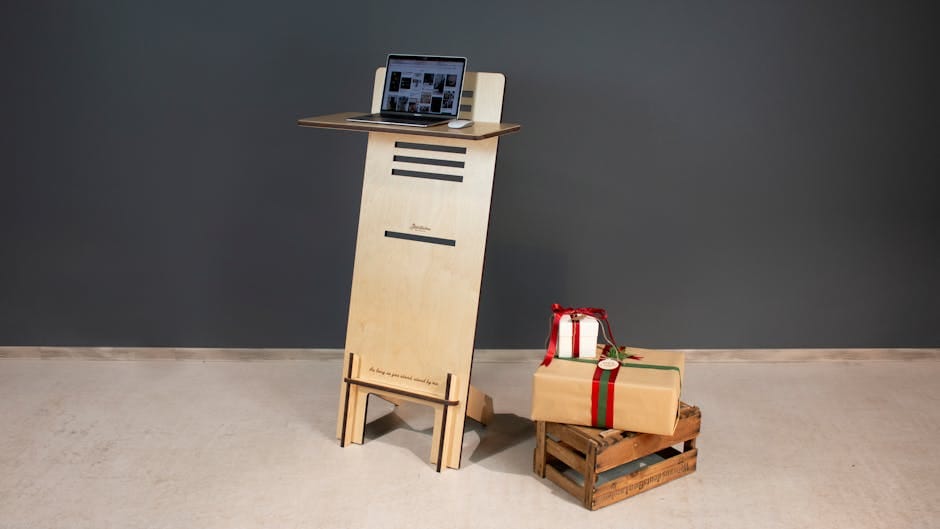
Laptops are inherently ergonomic disasters. The screen sits below eye level when the keyboard is at typing height. You either look down at the screen (destroying your neck) or raise the laptop (destroying your wrists). For short sessions it doesn't matter. For 8-hour workdays, over years, it matters enormously.
A laptop stand fixes this by raising the screen to proper eye level. Combined with an external keyboard and mouse, the laptop becomes an ergonomic setup. The stand costs $40-85. The combined benefit — reduced neck strain, better posture, less fatigue — is measurable over months.
Here are the laptop stands worth owning, broken down by use case.
The three categories of laptop stands
Desk-mounted stands (permanent)
Heavy metal stands that stay on the desk. Best for a dedicated home office where the laptop primarily lives at one workspace.
Examples: Rain Design mStand, Mosebo monitor arm + tray combinations.
Portable folding stands (travel)
Lightweight, fold small, fit in a backpack. Best for people who work from multiple locations.
Examples: Roost, Nexstand, Elevation Lab Draft Table.
Clamping monitor arms with laptop trays
More flexible but costlier. Clamps to desk edge, holds laptop in any position.
Examples: Humanscale M-Clamp with laptop tray, Ergotron LX with Notebook Tray.
Rain Design mStand — $60
The iconic aluminum laptop stand for Mac users. Curved aluminum construction that matches the MacBook's design aesthetic. Single piece, heavy enough to stay put.
Height: raises the screen about 6 inches. Perfect for pairing with a standard external keyboard.
Stability: rock solid. The laptop doesn't move during typing on the main laptop keyboard (if you're using the laptop keyboard instead of an external one).
Cable management: a channel for routing USB-C cable from laptop to dock or monitor.
Weight: 3.5 pounds. Not portable. Lives on your desk permanently.
For a dedicated home office setup where the MacBook stays on one desk, the mStand is close to perfect. Three years in, mine still looks new.
Roost Laptop Stand — $85
The gold standard of portable laptop stands. Folds into a rolled-up newspaper-sized object. Weighs 6 ounces. Raises a laptop to proper eye level.
The Roost is unusual: it doesn't look like a stand when assembled. Three interlocking metal struts with fabric hinges. Once assembled, it holds laptops weighing up to 8 pounds stably.
For anyone who works in coffee shops, hotels, or different locations, the Roost is the answer. It fits in any laptop bag and provides a genuine ergonomic setup wherever you go.
Made in the USA, which contributes to the price. 5-year warranty. Extensively tested by tech workers who've bought it multiple times after losing or breaking them.
Nexstand K2 — $34
The budget folding laptop stand. Similar folding design to Roost but Chinese manufacture. About 40% cheaper.
Performance is nearly identical to Roost. Fold-up is slightly less refined. The fabric hinges feel cheaper. But for the price difference, it's hard to justify the Roost unless you're buying it as your only stand.
For someone needing multiple portable stands (one at home, one in travel bag), Nexstand K2 at $34 is the practical choice.
Elevation Lab Draft Table — $99
Premium portable stand. Adjusts to multiple angles — more versatile than the Roost or Nexstand. Ideal for people who do creative work or drawing on their laptop.
The articulation mechanism is the main differentiator. Tilted low angles for sketching, high angles for typing. The Roost is fixed at one angle.
Pricier and bulkier than the Roost. Better for use cases that need varied positioning.
Twelve South Curve SE — $60
The MacBook-matching aluminum stand for desks. Similar to Rain Design mStand but with a slightly different curve and cutout pattern.
Minor differences from the Rain Design: slightly less heat dissipation (Rain's cutout is more aggressive), slightly different aesthetic.
If you prefer the Twelve South design language, this is your stand. Otherwise, Rain Design mStand is equivalent.
Monitor arm with laptop tray — $250-400
For ultimate flexibility, a full monitor arm (Humanscale, Ergotron, Herman Miller Flo Modular) with an attached laptop tray holds the laptop in any position. Can be raised, lowered, tilted, extended.
Best for shared workspaces where different users need different heights. Excellent for standing desk users who want the laptop to move with desk height changes.
Expensive. Complex installation (clamping arm, managing cable routing). Overkill for single-user single-desk setups.
What to skip
Skip plastic laptop stands under $30. They're unstable, often too small for 15-inch laptops, and the plastic warps over time. The $60 Rain Design or $34 Nexstand are worth the extra money.
Skip "cooling stands" with built-in fans. Modern laptops don't need external cooling for normal work. The fan is a noise source and a failure point.
Skip riser blocks made from books or wood. Unstable, uneven, not height-adjustable. Actual stands are cheap enough that there's no reason to improvise.
Skip "lap desk" solutions that double as laptop stands. They're designed for casual couch use, not for proper ergonomic positioning.
Setting up the stand correctly
A laptop stand works only if paired with an external keyboard and mouse.
Without an external keyboard: the stand raises the keyboard to unnatural heights. Typing becomes uncomfortable.
With an external keyboard: the laptop screen is at eye level, the keyboard is at proper typing height. Ergonomics are correct.
If you're buying a stand, also buy an external keyboard if you don't already own one. The Logitech MX Keys at $109 is the default recommendation. Total investment: $120-170 including stand and keyboard.
The ideal monitor-laptop combination
For the best desk setup: external monitor centered for primary work, laptop on stand to the side as a second display. The laptop screen adds real estate for reference materials, chat apps, or calendar.
Alternatively: closed-laptop clamshell mode with the external monitor as primary display. Use a vertical laptop stand like the Twelve South BookArc ($60) that holds the laptop upright with the screen closed.
Both setups work. Clamshell mode is simpler. Dual-screen (monitor + raised laptop) is more flexible.
Standing desk use
If you have a standing desk, the laptop stand height remains relevant. Raise the entire desk for standing; the laptop stand still positions the screen at eye level relative to the new height.
Good stands (Rain Design, Roost, Twelve South) work at all desk heights.
Some standing desks include height-adjustable arm mounts for monitors, which can also hold laptop trays. Only worth it for advanced setups.
The office-to-travel pattern
The common working pattern: Rain Design mStand at home (permanent), Roost in the travel bag.
Both stands cost about $145 combined. You get proper ergonomics everywhere you work.
For anyone who works hybrid (home + office + travel), having a stand in each location is better than carrying one between locations.
The neck pain test
If you've had neck stiffness or headaches after long laptop sessions, a laptop stand usually helps. Try one for two weeks. The improvement is immediate for most people.
If the improvement doesn't happen, the issue is elsewhere (chair, keyboard position, monitor height for dual-display setups). A stand isn't magic — but it solves the specific problem of laptop-screen-too-low for 95% of people.
The laptop stand is one of the cheapest investments in long-term ergonomic health. $60-85 for a device you'll use daily for years. The ROI is measured in years of reduced neck strain, fewer headaches, and better posture.
Buy the Rain Design mStand for your main desk. Buy the Roost for travel. Use an external keyboard and mouse. That's the complete ergonomic laptop setup, and it works for everyone from writers to developers to executives.