Mechanical Keyboard Switches and Layouts in 2026: Choosing by How and Where You Actually Type
Switch type and keyboard size decide how a board feels in month six, not the RGB or the box art. Here's how to choose based on where and how you actually type.
You're typing a reply at half past eleven, headphones off, and every keystroke lands like a knuckle rap on the door. Somewhere on the other side of the flat, someone is trying to sleep, and you're suddenly very aware of the switch you bought eight months ago because a video made it look satisfying. That's usually when people discover a mechanical keyboard isn't one product — it's a decision about switches, layout and noise that quietly shapes every evening after this one. Get it wrong and you're buying a second, quieter board within a year, or apologising to a flatmate on a weekly basis. Get it right, and the keyboard disappears into the background of your day, which is exactly what you want from a £60–£150 purchase you'll touch for hours without thinking about it. Ask anyone who's owned three keyboards in two years which decision they'd take back, and it's rarely the price — it's the switch they picked to match a demo video rather than their own desk.
Work out where the board actually has to earn its keep
Start with the room, not the switch. A board built for competitive shooters, one that lives in an open-plan office next to six other people on calls, and one that sits two metres from someone's pillow are three completely different purchases, even if the marketing photos on the box look identical. Gamers chasing every millisecond want linear switches — no bump, no resistance building mid-press — because a clean, predictable actuation rewards fast, repeated taps far more than a satisfying click ever will. Anyone typing in earshot of colleagues on a video call should rule out clicky switches straight away; they're the switch your coworkers will bring up at the next all-hands, however good it feels under your own fingers. And if you're typing near a partner or flatmate after dark, the decision isn't really a preference at all — it's closer to a household rule. Skip clicky switches entirely in that situation, no exceptions, and lean towards a linear switch or one of the newer tactile switches sold specifically as "silent", which use internal dampening to cut the bottom-out noise rather than removing the bump itself.
What linear, tactile and clicky switches are actually doing under your fingers
There's no universally "best" switch — only the one that matches the room you're sitting in.
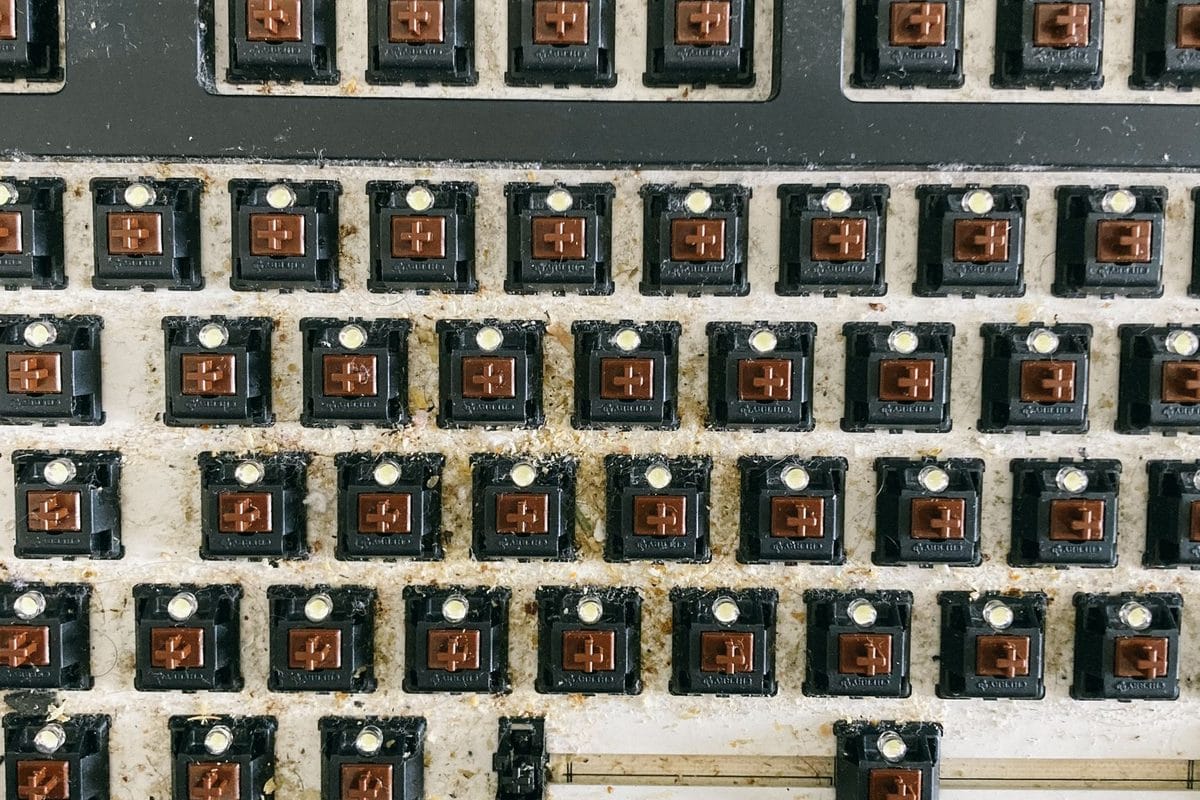
Cherry MX-style naming has become the industry's shorthand, and it's worth learning even if you never buy an actual Cherry-branded switch, because most competing brands describe their own switches against it. Linear switches (Cherry MX Red is the reference point) move in a straight line from top to bottom with no bump and no click, typically actuating around 45 grams of force — smooth, fast, and the quietest of the three families once the audible click is removed, though bottoming out on a hard plate still makes noise. Tactile switches (Cherry MX Brown is the classic example) add a small bump partway down the stroke that tells your finger the keypress has registered, without the audible click layered on top; they sit in the middle for both feel and noise, and they're the sensible default for office typing where you want feedback but not a soundtrack. Clicky switches (Cherry MX Blue) add both the bump and a distinct click sound, and that's the entire appeal — some typists genuinely type faster and more accurately with the audible confirmation, but the trade-off is a keyboard that's audible from the next desk over.
Tactile isn't automatically the safe middle-ground it's marketed as, though. Some tactile switches have a scratchy, uneven travel that plenty of typists find more distracting than a clean linear press — the bump is meant to feel reassuring, and on a mediocre switch it just feels gritty.
For most people buying a keyboard for eight hours of office work a day, tactile is still the better starting point, full stop — you get feedback without the social cost of a clicky board next to open-plan colleagues. Gamers should go linear without much second-guessing; the reduced resistance rewards rapid double-taps in a way a bump only interrupts.
TKL, 60% and full-size: what you give up at each size
Layout is really a negotiation over desk space and muscle memory, and it matters more than most buying guides admit. A full-size board keeps the number pad, which properly earns its keep for anyone doing spreadsheet work, invoicing or data entry — losing it to save a few centimetres of desk isn't worth it if you touch Excel daily. Tenkeyless (TKL) boards drop the number pad and free up roughly 10–15cm of desk depth, which is the main reason competitive gamers favour them: that extra space is room for a longer mouse swing at low sensitivity. Go smaller again and you hit 60% layouts, which strip out the function row, arrow keys and navigation cluster as well, pushing them onto a secondary Fn layer instead.
- Full-size — best if you regularly use a number pad for work, and the least likely layout to need a relearning period.
- TKL — the most common middle ground, and the one most gaming brands build first.
- 60% — the smallest footprint, genuinely useful for a cramped desk or a travel setup, but expect a week or two of hitting the wrong key for arrows and F-keys before the new layer becomes automatic.
- 65% and 75% layouts split the difference by keeping arrow keys while dropping the number pad, and they're worth a look if 60% feels like one compromise too many.
The mistake is buying a 60% board because it looks minimal in the photos, then discovering three weeks later that muting a call or adjusting volume needs a function-layer combination you still haven't memorised. If you're not certain you'll adapt, TKL is the safer buy — you lose the number pad and nothing else, and the arrow keys stay exactly where your hand expects them.
The spec-sheet noise that has nothing to do with how it types
RGB lighting, per-key software profiles and polling rates advertised in the thousands of hertz make for good box copy and have almost no bearing on how a keyboard feels to type on for six hours straight. A keyboard doesn't need an 8,000Hz polling rate the way a competitive mouse arguably does — human typing speed doesn't come close to exposing the difference, and the marketing simply borrows a genuinely useful mouse spec and prints it somewhere it barely applies. Hot-swappable sockets, which let you change switches without a soldering iron, are a real feature rather than fluff — brands like Keychron and Akko build entire ranges around it — but it's a one-time convenience, not a monthly one, so don't let it push the price past what the rest of the board justifies.
Keycap material is the spec actually worth reading past the RGB section. PBT keycaps resist the shiny, worn-smooth patina that cheap ABS keycaps develop on the most-used keys within a few months, and plenty of £40–£60 boards now ship with PBT as standard rather than as a premium add-on — check the listing rather than assuming.
Budget mechanical boards start around £40–£60 and are properly usable for years, not just a stopgap. £80–£120 covers most people who want hot-swap sockets, PBT keycaps and better stabilisers as standard. Past £150, you're paying for gasket-mounted cases, foam dampening and the kind of sound-tuning that matters mainly to people who've already owned two or three boards and know exactly what they're chasing.
None of this gets decided in a shop, tapping a display model with the sound turned down by the till. Decide from the room the keyboard will actually sit in — the gaming desk, the open-plan office, the flat with someone asleep two doors down — and the switch and the layout mostly choose themselves. The £150 board with the loudest, most satisfying click in the world is still the wrong purchase if it's parked six feet from somebody's pillow.