Handheld Gaming PC Buyer's Guide 2026: Steam Deck OLED vs ROG Ally X vs Legion Go
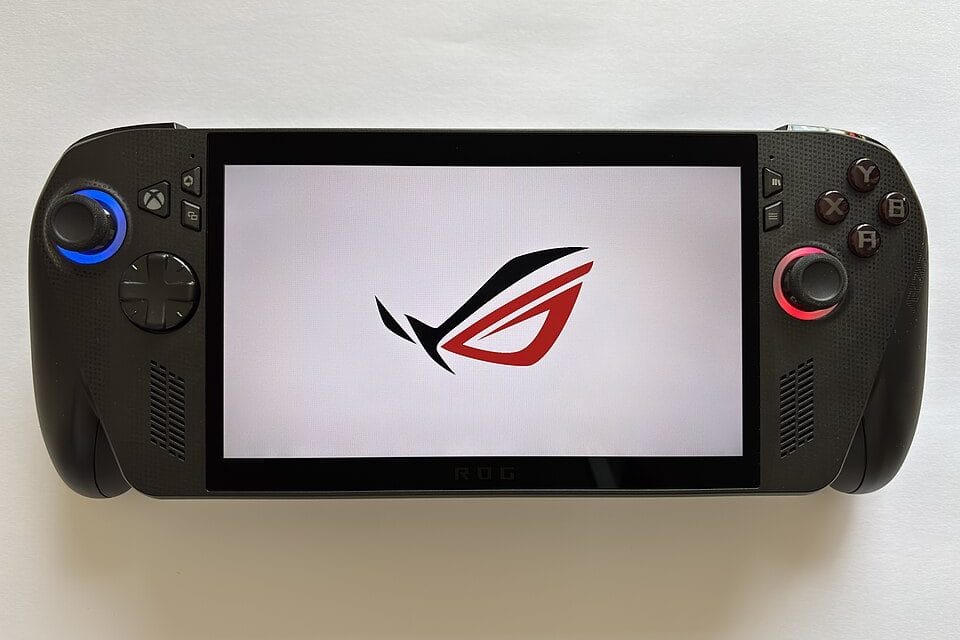
You're stretched out on the couch, Switch battery at 12 percent, and the game you actually want to play — the one with ray tracing and a frame rate that doesn't chug during boss fights — only runs on a real PC. That's the exact moment handheld gaming PCs were built for, and in 2026 there are finally three serious options instead of one: Valve's Steam Deck OLED, ASUS's ROG Ally X, and Lenovo's Legion Go. They all promise the same thing — your Steam library, in your hands, off the TV — but they get there through completely different operating systems, battery strategies, and trade-offs that the marketing copy conveniently glosses over. Pick the wrong one for how you actually play and the $700 you spent buys you a heavier, shorter-battery-life Switch clone instead of the PC gaming upgrade you were actually after.
The real split: SteamOS vs. Windows, not brand vs. brand
The single biggest decision in this category has nothing to do with specs and everything to do with which operating system boots when you press the power button. Steam Deck OLED runs Valve's SteamOS, a Linux-based interface built specifically for a handheld, and it launches straight into your library, suspends and resumes in about two seconds, and never shows you a desktop unless you go looking for one. The ROG Ally X and the Legion Go both run full Windows 11, the same operating system on your work laptop, complete with a taskbar, Windows Update popping up mid-raid, and a Start menu that was never designed to be operated with two thumbsticks. Manufacturers know this is a weak point, which is why both ASUS and Lenovo ship a custom overlay — Armoury Crate SE on the Ally X, Legion Space on the Go — that tries to hide the desktop underneath and mostly succeeds. But "mostly" is doing real work in that sentence, because both of us have had an update notification steal focus mid-boss-fight on a Windows handheld, and neither Valve device has ever done that in three years on the market. If you've ever fought with a laptop that decided 2 a.m. was the right time to install a driver update, you already know the feeling this section is describing.
Steam Deck OLED: the default answer, and why it still wins
Starting at $549 for the 512GB model, the Steam Deck OLED remains the easiest recommendation in this entire category, and not because it's the fastest — it isn't. Its custom AMD APU is roughly a generation behind the silicon in the Ally X, and it caps out running most modern AAA titles at 30-40 fps at 800p with dropped settings rather than the crisper output the Ally X can hit in lighter titles. What it wins on is everything around the chip: a genuinely gorgeous 7.4-inch HDR OLED panel, a trackpad layout that makes strategy games and older PC titles playable without a mouse, and SteamOS's Proton compatibility layer, which by mid-2026 runs somewhere north of 90 percent of the Steam catalog without a single manual tweak.
Buy the Steam Deck OLED if you mostly play from your existing Steam library and you want the thing to just work when you pick it up. That's not a hedge — it's the correct call for most buyers in this category, full stop.
ROG Ally X: where Windows handhelds actually earn their price
At $799, the ROG Ally X costs $250 more than the base Steam Deck OLED, and that premium buys two things that matter: an 80Wh battery, double the capacity of the original Ally, and full Windows compatibility with launchers Valve's device can't touch natively, including Battle.net, EA App, and Xbox Game Pass. If your library lives partly outside Steam, particularly if you're a Game Pass subscriber with a backlog of Xbox exclusives, the Ally X is the only handheld here that runs all of it without a compatibility layer standing between you and the game. The catch shows up on day one.
Windows 11 was never built for a 1080p touchscreen you hold with your thumbs, and background processes — antivirus scans, driver updates, OneDrive sync — eat into both battery life and frame pacing in ways SteamOS simply doesn't allow to happen. ASUS's own overlay software helps, but it's a workaround for an operating system fighting its own form factor, not a fix for it.
Legion Go: the detachable controller bet
Lenovo's Legion Go, priced around $699, makes one genuinely different bet than the other two: its controllers pop off the sides like a Nintendo Switch, and the right one doubles as a mouse via a built-in trackball-style sensor on the back. For strategy games, tactical shooters, and anything with a cursor-driven UI — think Civilization VI or Baldur's Gate 3's inventory screens — that detached mouse mode is a real, usable advantage neither Valve nor ASUS offers. It's also the biggest and heaviest device of the three at 1.88 pounds fully assembled, and its 8.8-inch 144Hz display, sharp as it is, drains the 49.2Wh battery faster than either competitor in demanding titles. Prop the two controllers on the included stand, and the Legion Go effectively becomes a mini desktop rig for turn-based games on a hotel desk, which is a scenario none of the other two handhelds handle nearly as well. Lenovo clearly built this for a specific kind of player — someone who wants a mouse-and-keyboard-adjacent experience on the go — rather than trying to be the safest choice for everyone, and that focus is exactly what makes it worth considering if that's actually you. It also means the Legion Go is the easiest of the three to talk yourself out of if you don't actually play the genres where a detached mouse matters.
Battery life: the number every spec sheet inflates
Every manufacturer quotes battery life from casual, low-power games — think Hades or Stardew Valley — running at reduced brightness and a capped frame rate. None of that reflects what happens when you're actually running Cyberpunk 2077 or Elden Ring at anything above the lowest preset.
- Steam Deck OLED: roughly 2-3 hours in demanding AAA titles, closer to 6-8 hours in 2D or indie games
- ROG Ally X: roughly 3-4 hours in AAA titles thanks to the larger 80Wh cell, though Windows background tasks eat into that margin more than the spec sheet admits
- Legion Go: roughly 2-2.5 hours in AAA titles at the 144Hz panel's higher power draw, longer if you drop the refresh rate to 60Hz, which most players end up doing within the first week anyway
None of these numbers get you through a cross-country flight without a charger. Budget for a 65W USB-C power bank as a mandatory second purchase if you're buying one specifically for travel, not an optional accessory you can skip.
Does it actually replace your console?
For couch gaming hooked up to a TV, no — not entirely, and this is the part most buying guides skip past. All three devices can output to a display via USB-C or a dock, but none of them match a PS5 or Series X for consistent 4K performance, and docking mode on the Ally X in particular still runs into the same background-process overhead that affects handheld mode. What they genuinely do replace is the specific console use case of picking up a controller for twenty minutes on the couch, in bed, or on a commuter train — the Nintendo Switch's actual core use case, not the PS5's.
So what about someone who already owns both a PS5 and a Switch? That's the buyer who benefits least from any of these three, because the console already covers the TV use case better and the Switch already covers the portable one, just with a shallower library. If your current console mostly sits connected to your TV and rarely leaves the living room, a handheld PC solves a problem you don't have. If you're the person reaching for a Switch specifically because it travels with you, any of these three devices plays a meaningfully deeper library than Nintendo's storefront ever will, provided you accept the battery and performance trade-offs above.
What to actually skip when comparing spec sheets
Ignore raw TFLOPS comparisons between the three APUs — real-world frame rates depend far more on how each manufacturer tunes power limits and thermals than on the theoretical ceiling of the chip. Also skip the marketing claims about "up to" battery life; treat every quoted number as roughly double what you'll see running an actual current-generation game.
- TFLOPS and raw benchmark charts — thermal tuning matters more than the chip on paper
- "Up to X hours" battery claims — halve the number for real AAA gaming
- Storage speed marketing on the internal SSD — all three support user-replaceable M.2 2230 drives, so buy the base storage tier and upgrade it yourself for less
- Bundled carrying cases and screen protectors are a nice touch, but never worth paying a premium bundle price over buying the base unit and a $15 case separately
The storage point is worth dwelling on for a second: every one of these three ships with a standard M.2 2230 slot, and a 2TB third-party SSD from a brand like WD or Sabrent runs $120-150 as of this year. Buying the 1TB Steam Deck OLED at $649 instead of upgrading the 512GB model yourself is close to $100 wasted for identical hardware underneath.
The honest recommendation
Buy the Steam Deck OLED unless you have a specific, named reason not to. That reason is either a Game Pass library you're not willing to abandon, in which case get the ROG Ally X, or a genuine preference for mouse-driven strategy games on the go, in which case the Legion Go's detachable controller is worth the extra bulk. Everyone else is better served by the device with the best screen, the longest software track record, and the operating system that was actually designed to be held in two hands instead of clicked with a mouse.